O2M is the easiest way to move your Windows® Outlook® email, contacts, and
calendar appointments from your PC to your OS X Macintosh® computer! Just fire up O2M
on your Windows PC, pick the Outlook folders you want to export, choose the filtering
 options you want to use, and click Start — O2M
does the rest, automatically exporting your Outlook data into portable files
you can import directly into your Apple® Mail, Address Book, iCal, Microsoft Entourage,
or other Macintosh-compatible programs. Back up all of your PC's email
and email attachments to your Apple! Copy your Outlook contacts
from work to home and vice-versa! Migrate all of your calendar appointments
from your old PC to your new Mac! The possibilities are endless!
options you want to use, and click Start — O2M
does the rest, automatically exporting your Outlook data into portable files
you can import directly into your Apple® Mail, Address Book, iCal, Microsoft Entourage,
or other Macintosh-compatible programs. Back up all of your PC's email
and email attachments to your Apple! Copy your Outlook contacts
from work to home and vice-versa! Migrate all of your calendar appointments
from your old PC to your new Mac! The possibilities are endless!
“Luckily there's Outlook2Mac...it turns your Outlook data into files that can be imported into Mac's built-in email, address book, and calendar programs.”
|
|
—The Wall Street Journal
|
|

Ready to run with every version of Microsoft® Outlook,
O2M lets you choose which Outlook folders to export, and how.
Export all of your email and calendar items, or perform incremental
exports by telling O2M to only export recent items that fall within
a date range you specify. Email attachments can be stripped from emails,
saved inside emails, or even saved as detached, stand-alone files — a great
way to move all your Outlook attachments to an archive folder quickly.
Best of all, O2M supports industry-standard .mbox, vCard, and iCal
file formats, so your exported Outlook data will be ready to import into
third-party email, contact, and calendar programs
that support these standards.
It's no wonder O2M has been the #1 bestselling Outlook converter since 2002,
and a favorite tool used by Apple at its in-store Genius Bars
around the world!

- The Fastest, Easiest Way to Move Outlook Data From a PC to a Mac!
- Easy-to-Use Wizard Makes Exporting Easy—Just Choose the Folders You Want to Export And Options You Want
- Great for Switching from a PC, Archiving an Old PC's Data, Backing Up Outlook Emails to Stand-alone Files, or Regularly Keeping Your PC and Mac in Sync
- Exports Outlook Email to Industry-Standard Mbox Format for Easy Importing Into Apple Mail, Microsoft Entourage, And Other Mail Programs for OS X
- Exports Contacts to iCard (ics) or vCard(vcs) Formats for Importing Into Apple Address Book
- Exports Outlook Calendar to Apple's iCal Format for Importing Into Apple Calendar and Other Calender Programs
- Runs on Both 32-Bit and 64-Bit Windows, Including Windows 7, 8, and 10
- Quickly Filter Out Unwanted Emails or Calendar Appointment By Date Range
- Attachments Can Be Included, Discarded, or Filtered By Size or File Type
- Supports Exporting from External Outlook PST Files
- Compatible with Both Internet and Exchange Outlook Installations
- Exported Data Compatible with All Versions of OS X, Including El Capitan, Yosemite, Mavericks & Mountain Lion
- No Internet Access Required
- No Outlook Plugins Required
- No Windows Administrator Access Required
- Details of Each Export Are Captured in Easy-To-Read Log File

| On Your PC: |
| 32-bit or 64-bit Windows (98, 98SE, ME, XP, Vista, 2000-2008, 7, 8, or 10) |
| 32-bit Microsoft Outlook for Windows (97/98, 2000, 2002, 2003, 2007, 2010, 2013, 2016) |
| 4.5MB of disk space for O2M installation |
| Enough disk space on your PC to store the data exported from Outlook |
| On Your Mac: |
| OS X (any version, including El Capitan, Yosemite, Mavericks, Mountain Lion, Lion, Snow Leopard, Leopard, Tiger, etc.) |
| Mail, Address, and Calendar programs such as Apple Mail, Address Book, Calendar, or Microsoft Entourage that support
the industry-standard mBox, iCard, vCard, and/or iCal formats |
| Enough disk space to hold the Outlook data that you'll move onto your Mac from your PC |
| A network, USB drive, external hard disk, or another device for transferring your exported Outlook files from your PC to your Mac so they can be imported |
Notes
Once O2M has exported your Outlook data, you'll need to move it yourself from your PC to your Mac via an external hard disk, USB drive, or network,
and then import it into your Apple programs. Instructions for importing into popular Apple programs can be found in the Support section of the Little Machines website.
Outlook Express is not supported by O2M; Express uses a different file format than regular Outlook.
If you have emails in Outlook Express, try migrating them to Outlook, then using O2M to export them from there.
64-bit Office is not supported.
O2M is designed for use on a typical PC running Windows. It has been tested in some virtual environments such as VMWare,
but it is not guaranteed to run in non-PC or virtualized Windows environments.
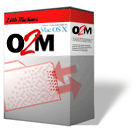
O2M is currently available by Internet download only. (The product box
shown above is just a graphical treatment, and not meant
to imply that the software is available on CD-ROM).
Outlook, Outlook Express, Exchange, Entourage, and Windows are registered trademarks of Microsoft.
El Capitan, Yosemite, Mavericks, Mountain Lion, Lion, Snow Leopard, Leopard, Tiger, OS X, Mac, and Macintosh are registered trademarks of Apple Inc.
VMWare is a registered trademark of VMWare, Inc.
Little Machines is not endorsed by, nor has any affiliation with, Microsoft, Apple, or MWare.
Little Machines, O2M, Outlook2Mac, and the Little Machines logo are trademarks of Little Machines. All Rights Reserved.

“This is a great utility. I had 6000 e-mails, 500 addresses, and a ton of appointments...the $14 spent was well worth the time saved. Thanks!”
|
|
—Sidney (actual customer)
|
|
“Best $14 spent ever! After struggling with several methods that didn't work, I found your program and boom! I only wish I had found it sooner. My email is now on my Mac. Adios, Outlook. Ha!”
|
|
—Dean (actual customer)
|
|
“Great software. I've recommended it to everyone I know in IT. You guys definitely saved me from working all weekend. Thanks a million. Cheers.”
|
|
—Kyle (actual customer)
|
|
“I just converted about 5,000 emails with attachments from Outlook on my PC, and they come over perfectly to Mail on my Mac!
I don't know that I've ever seen software work so perfectly the way I had hoped! Thank you SO, SO much! This program worked GREAT! What a complete LIFESAVER! Thank you.”
|
|
—Sara (actual customer)
|
|
“Simply Amazing! Well worth the money finally get rid of Outlook! Thank you soooo much. Fantastic App! I will be recommending you to every Window user that has seen the light.
Have a great weekend!”
|
|
—Sam (actual customer)
|
|
|